9.33K

Horse Magnifier
Welcome To The Garden
Stick Hero RPG
Astro Tycoon

Christmas Factory
Wacky Steps
Wave Rider
Fireboy and Watergirl
TB World

FNAF Help Wanted 2
Yume Nikki
2048 Rogue

Turnip Boy Robs a Bank
Sprunki Angler Durple
Dead Strike
Sprunki
Sprunki Retake
Sprunki Phase 5
Escape Tsunami Brainrots Online
Wave Rider
Bottle Hop
Ragdoll Flip
Geometry Dash
Sprunki Wenda Treatment
Sprunki Phase 3
Sprunki Phase 4
Subway Surfers
Sprunki 2026
Sprunked
Sprunki Phase 6
Sprunki Angler Durple
Sprunki Phase 9
Sprunki OC Real

LoveMoney
Sprunki Savior Treatment
Sprunki Phase 1
Sprunki Infected
Sprunki Dandy's World
Escape Road
Incredibox SprunkOSC takes the core concept of the original Incredibox game, where players combine vocal loops and beats to create a track, and adds the ability to control sound parameters more precisely using Open Sound Control (OSC). OSC is a protocol for communication between computers and electronic musical devices, allowing for detailed control over sound synthesis, manipulation, and effects.
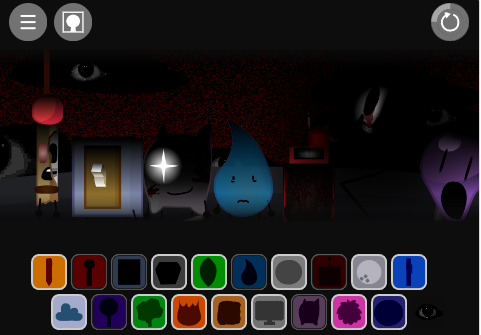
Start by Selecting a Track: Begin by selecting one of the available music styles, each with its own set of characters that generate vocal loops and beats.
Drag and Drop Characters: As usual, drag the characters onto the different sound layers to combine their vocals and beats, creating your music.
Use OSC Controls: Connect a MIDI controller or use software that supports OSC to start manipulating the sound. Adjust the various parameters in real time, such as pitch, volume, reverb, and effects, to create a more dynamic and personalized track.
Customize Your Track: Use OSC features to modify the sound on the fly, experimenting with different settings to produce unique musical compositions.
Share Your Creation: Once you’re satisfied with your track, save and share your creation with the Incredibox community, or export it to external platforms.
Mouse Controls: As in the original game, the mouse is used to drag and drop the characters into different layers, control the speed and intensity of the music, and interact with visual effects.
Keyboard Controls: The keyboard can be used to trigger certain hotkeys that activate effects or speed up/slow down the tempo of the music. However, the primary interaction in SprunkOSC will be through OSC, requiring external hardware or software for full control.
Unique Sound Design Capabilities: The integration of OSC allows users to explore a deeper level of sound design, making it more appealing to music enthusiasts and creators who want more control over their compositions.
Hands-On Music Creation: The use of external MIDI controllers or OSC-enabled devices gives players a more tactile and immersive music creation experience, which can be very satisfying for those who enjoy real-time music manipulation.
Customization and Complexity: For users who are familiar with the original Incredibox and want to dive deeper into music production, SprunkOSC offers a highly customizable and flexible environment that allows for more complex and intricate compositions.
Expanded Audience: The game’s appeal is broadened by its ability to attract both casual players and those with a more technical interest in music production, making it accessible to a wide range of people.